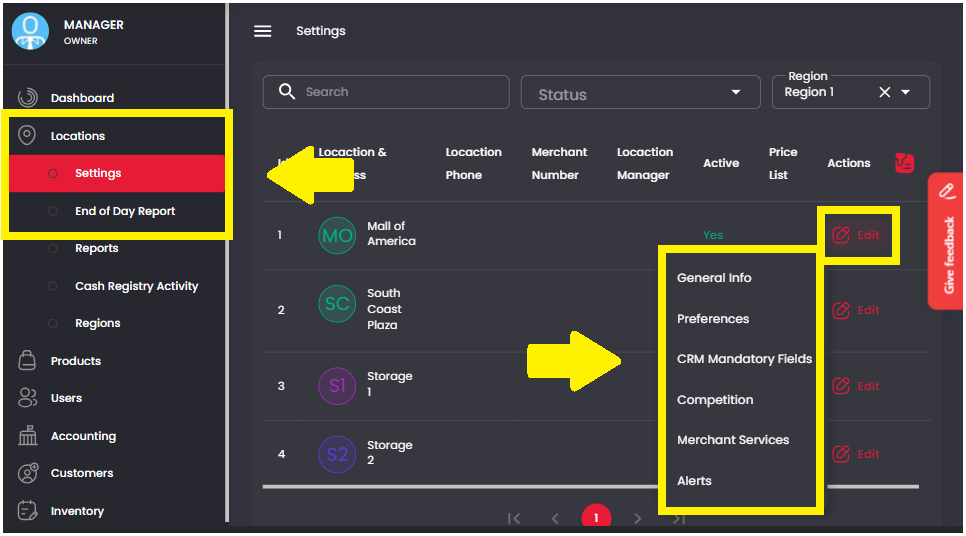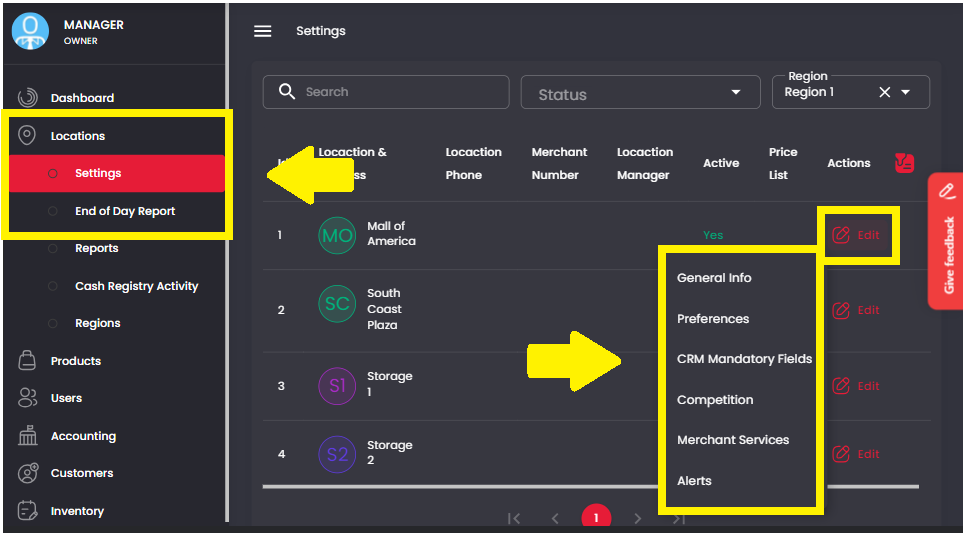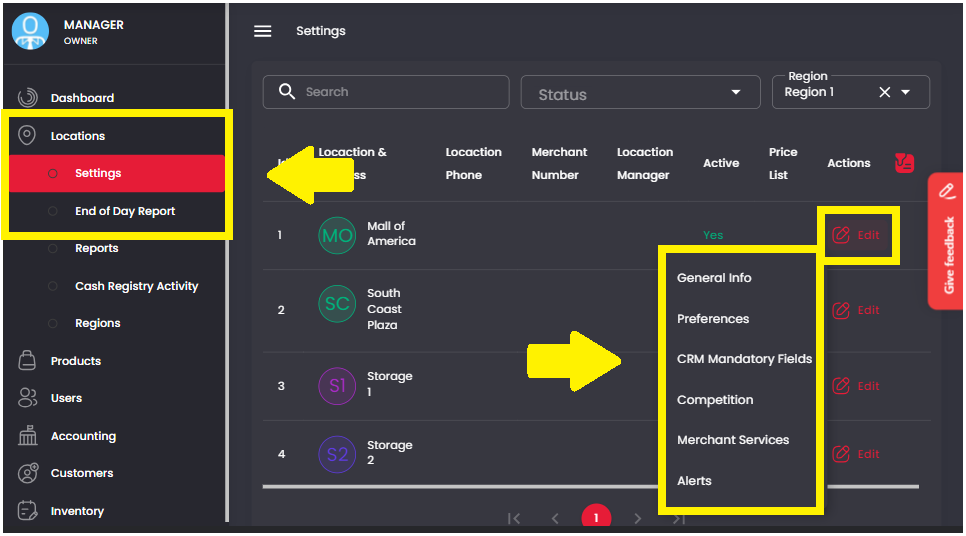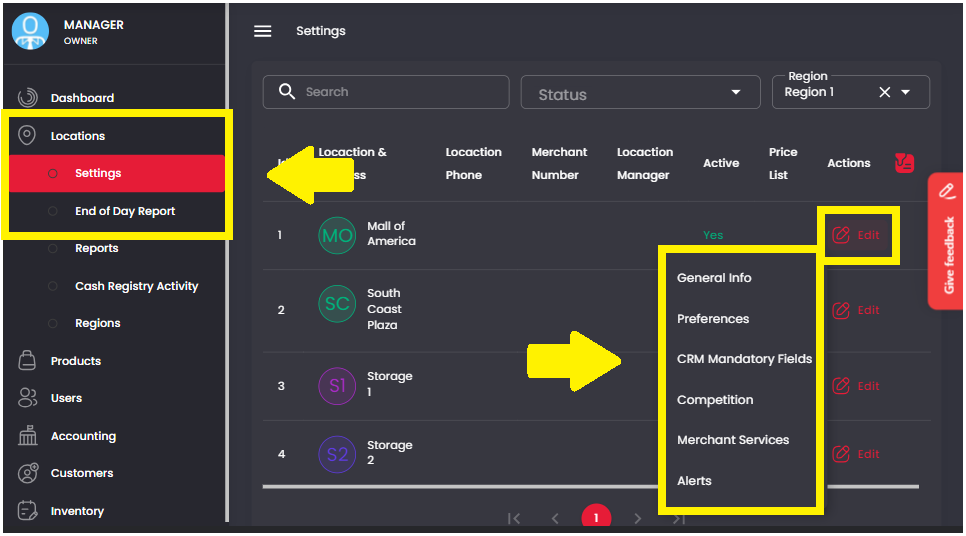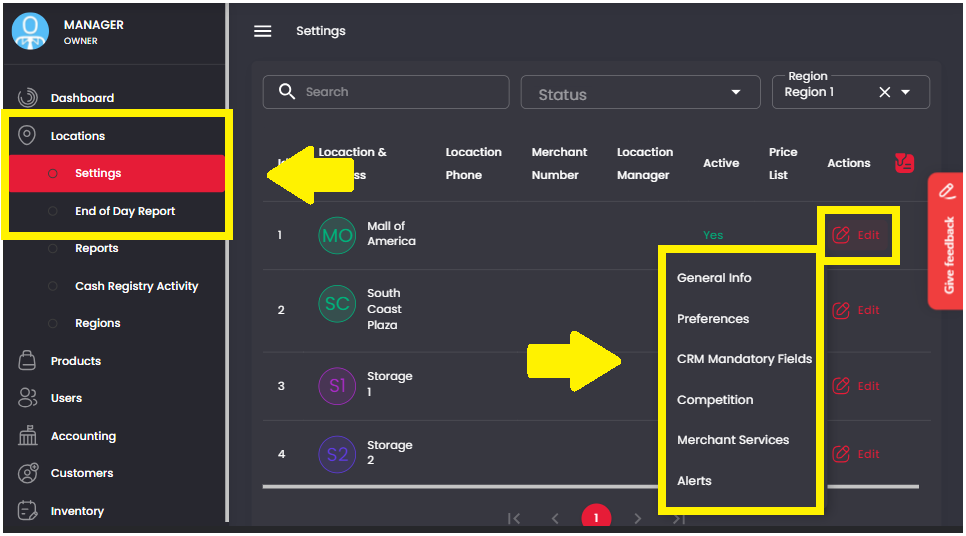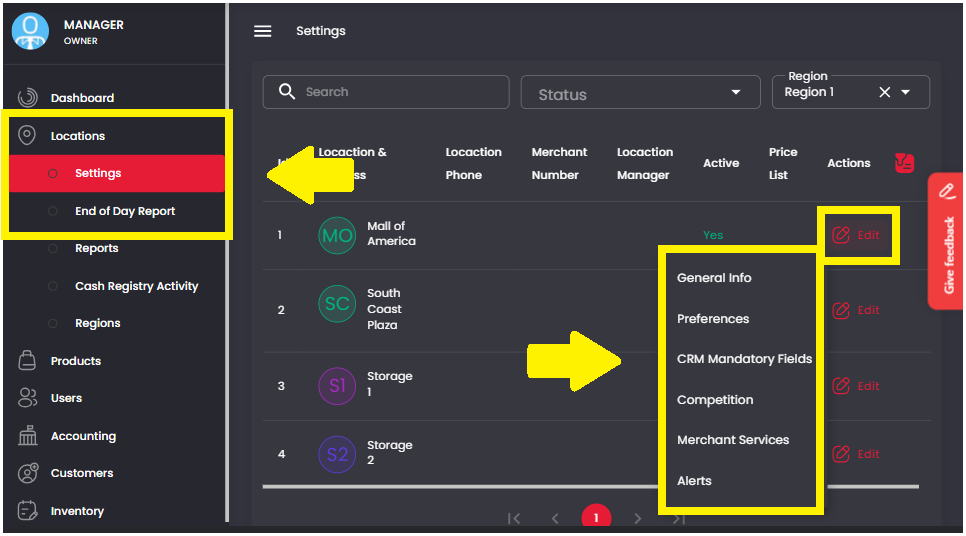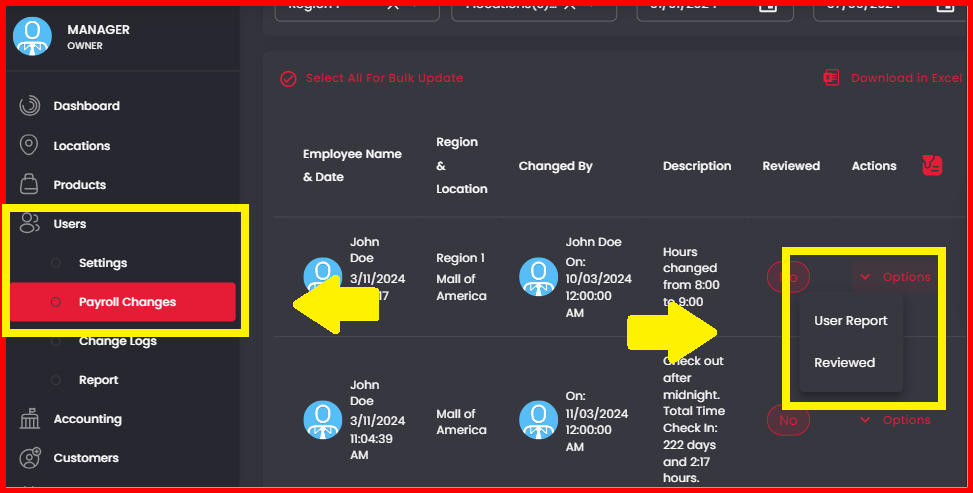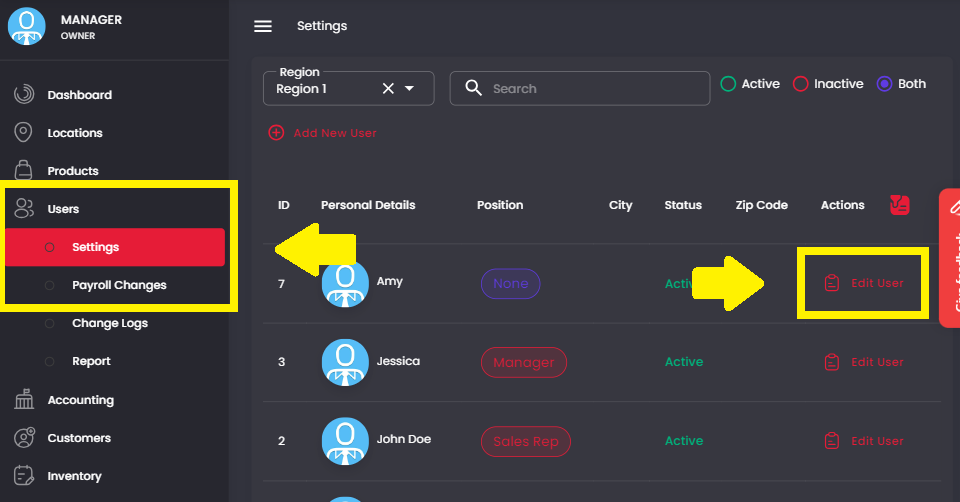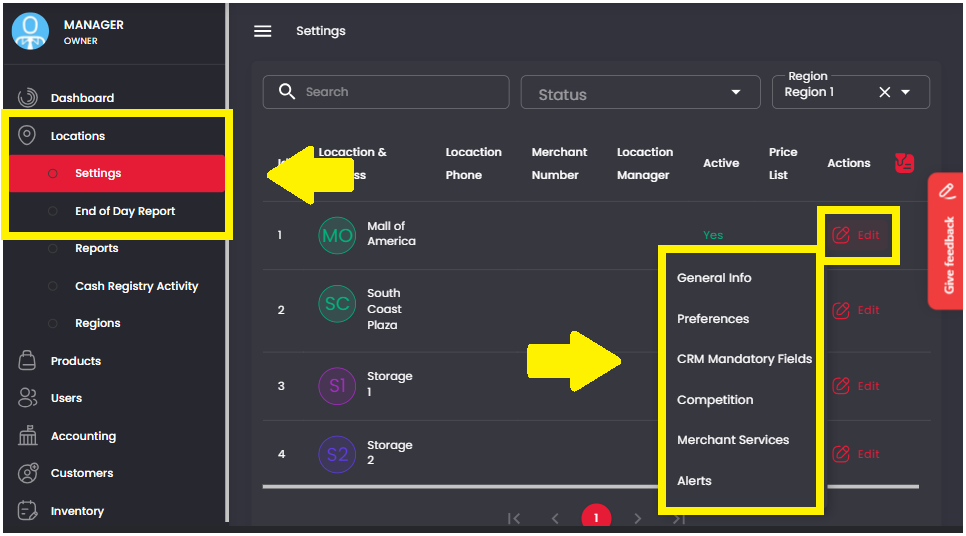
1. On the Management Screen, click on Locations > Settings. Then click Edit > Competition for the desired location.

2. Choose the desired competition from the list and select the competition time frame.
Team Motivation: allows for several locations to compete against one another.
Individual Motivation: allows for individual employees within a location to compete against one another.
The types of competition include;
Total Sale: Competition of total sales by location/employee
Highest Sale: Competition of highest sale by location/employee
Number of Products: Competition of number of products sold by location/employee
Choose how long your Competition Timeframe will last before restarting by clicking “Daily”, “Weekly”, or “Monthly”
Select Regions to allow locations from multiple regions to compete against each other.

Select the number of Employees or Locations viewable on the sales screen in the View Top box
Choose to show the amount of money generated by each employee/location or hide it by clicking Show Ranking Only.
3. Click “Start Competition” to save the settings